In short: Apple Music's Hi-Res Lossless goes up to 24-bit / 192kHz ALAC, but once the music leaves the app, almost every path can degrade it. Bluetooth converts it to a lossy format, AirPlay tops out at 16-bit / 44.1kHz, Roon does not support Apple Music, and Android streamers can only feed their own DAC. Hearing true Apple Music lossless on a hi-fi system is not about the app settings — it is about how the music travels to your DAC.
What is Apple Music "Lossless"?
Apple Music introduced lossless audio in 2021 and included it in the standard subscription. Tracks are encoded in ALAC (Apple Lossless Audio Codec); once decoded, the data is bit-for-bit identical to the original master file. The app offers three quality settings:
| Setting | Format | Maximum |
|---|---|---|
| High Quality | AAC (lossy) | 256kbps |
| Lossless | ALAC | 24-bit / 48kHz |
| Hi-Res Lossless | ALAC | 24-bit / 192kHz |
With lossless enabled, the app plays whatever version each track actually has: on the same album, some tracks may be 16-bit / 44.1kHz while others are 24-bit / 96kHz or 24-bit / 192kHz. These settings decide what the app receives — they do not guarantee that the data arrives at your DAC untouched.
Where does each path lose quality?
1. Bluetooth: no lossless
Bluetooth does not have enough bandwidth for lossless audio, and Apple states that lossless is not supported over Bluetooth. No matter how good the headphones or speaker, Apple Music over Bluetooth has already been converted to a lossy format.
2. AirPlay: capped at 16-bit / 44.1kHz
AirPlay is the most convenient way to stream within the Apple ecosystem, and AirPlay 2 does carry lossless ALAC — but only up to 16-bit / 44.1kHz, which is CD quality. Hi-Res tracks are downsampled to 44.1kHz when sent over AirPlay, so your DAC no longer receives the original 24-bit / 192kHz.
3. iPhone, iPad and Mac: an external DAC and fiddly settings
The built-in output of a phone or tablet only supports up to 24-bit / 48kHz; for Hi-Res you need an external USB DAC. The Music app on a Mac can play Hi-Res, but in many cases you have to go into Audio MIDI Setup and manually match the output sample rate to each track, otherwise macOS resamples everything to one rate. Either way, you are placing a consumer electronics device in your hi-fi signal chain.
4. Roon: no Apple Music support
Roon is the heart of many hi-fi systems and integrates streaming services such as Qobuz and Tidal, but it does not support Apple Music. Apple Music subscribers cannot play their library through Roon.
5. Android streamers: tied to their own DAC
Many streaming players run Android and can install the Apple Music app directly, outputting via USB or a built-in DAC. They solve the "can it play?" problem, but the output has to go through the player itself; it cannot enter a high-end system built around network transport such as Diretta.
There is another catch we found while developing Cantus: the Apple Music app chooses streaming quality based on the network type, with separate settings for Wi-Fi and cellular. On an Android device with only a wired network, the app applies neither of these lossless settings and ends up playing AAC. Even with "Hi-Res Lossless" selected in the app, what actually comes out may be lossy.
| Path | Best quality reaching the DAC | Limitation |
|---|---|---|
| Bluetooth | Lossy | No lossless support |
| AirPlay | 16-bit / 44.1kHz | Hi-Res is downsampled |
| iPhone / iPad + USB DAC | 24-bit / 192kHz | External DAC needed; consumer-grade source |
| Roon | — | No Apple Music support |
| Android streamer | 24-bit / 192kHz | Only its own DAC; may play only AAC on a wired network |
How to check you are really hearing lossless
The "Lossless" or "Hi-Res Lossless" badge in the app only means the track has a lossless version; it says nothing about whether the playback chain degrades it. The most reliable check is the sample rate shown by the DAC itself:
- Pick an album marked Hi-Res Lossless and note the format shown in the app, for example 24-bit / 96kHz;
- During playback, check whether your DAC or streamer display also shows 96kHz;
- Switch to a 16-bit / 44.1kHz track — the DAC should follow and switch to 44.1kHz.
If your DAC always stays at 44.1kHz or 48kHz, something along the way is resampling everything to a single rate.
Bringing it into your hi-fi system over Diretta
Diretta is a network audio protocol designed specifically for audio: the music server fetches and processes the music, then sends the data over the network in a steady, evenly paced stream to a Diretta Target, which connects to the DAC. The playback end no longer has to handle decoding and general computing, so load fluctuations are reduced — which is why Diretta is popular in high-end systems. The problem is that, until now, Apple Music had no way onto this path.
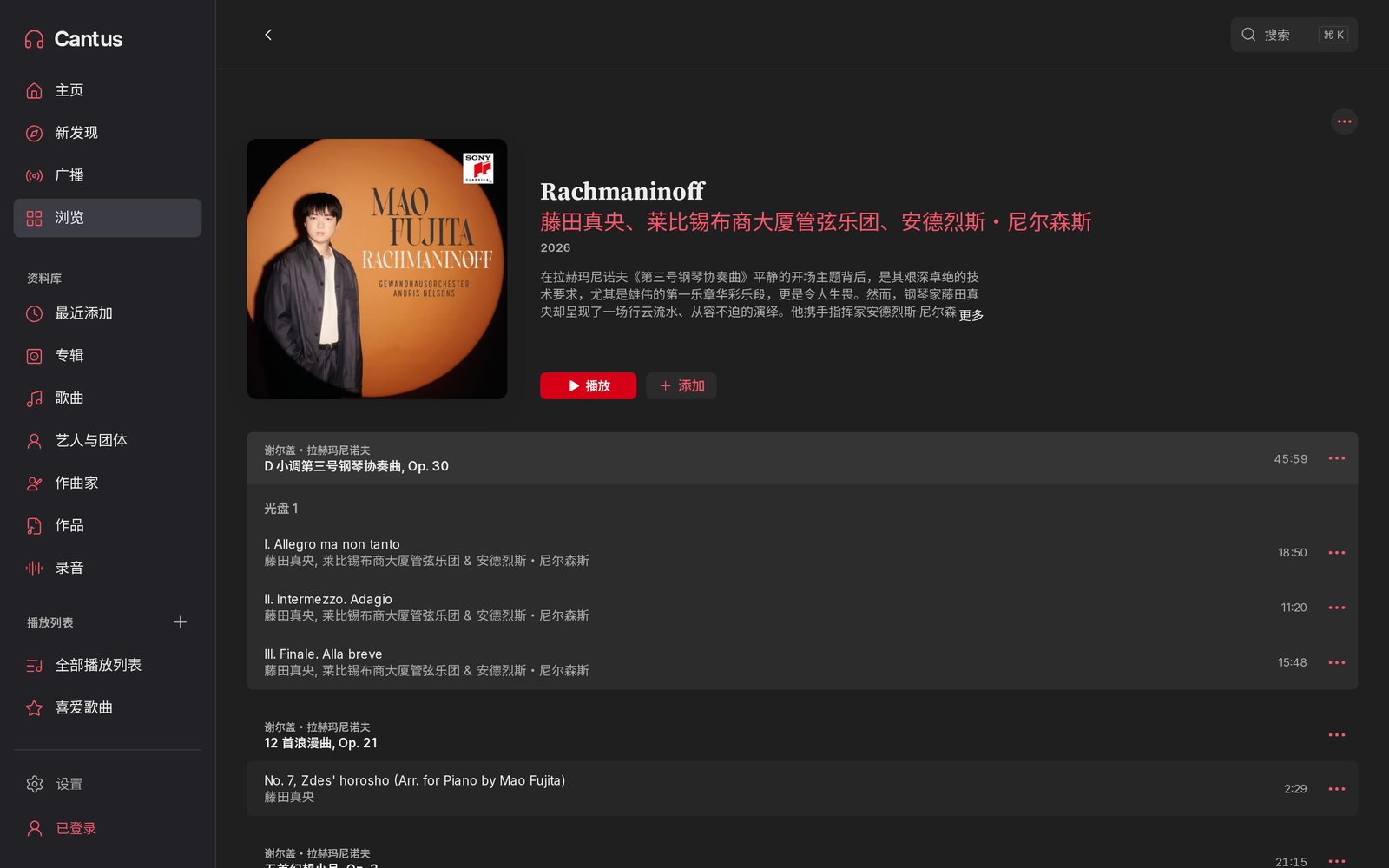
Cantus, developed exclusively by VV Audio Lab, is the world's first player to bring Apple Music lossless to Diretta. It runs the official Apple Music playback engine inside a Vanadium music server, receives the lossless ALAC stream, and sends each track at its original sample rate over Diretta to your DAC:
- Resolution: up to 24-bit / 192kHz ALAC, with no AirPlay involved;
- Control: browse and play from the web browser on your phone, tablet or computer — no app to install;
- Coexistence: installs alongside Roon on the same Vanadium, each on its own dedicated CPU cores;
- Compatibility: native on Vanadium II and Vanadium Mini; other Linux music servers with SSH access can be installed remotely.
Frequently Asked Questions
Do Lossless and Hi-Res Lossless cost extra on Apple Music?
No. Lossless (ALAC up to 24-bit / 48kHz) and Hi-Res Lossless (up to 24-bit / 192kHz) are both included in an Apple Music subscription. You only need to turn them on in the app's audio quality settings.
The app shows "Hi-Res Lossless" but my DAC shows 44.1kHz. Why?
There are two possibilities. Either the track itself is only available as 16-bit / 44.1kHz lossless — the Hi-Res badge only means the album, or some of its tracks, has a high-resolution version — or something in the playback path is downsampling the signal to 44.1kHz, as AirPlay does. Compare the sample rate on your DAC track by track to tell which one it is.
Does Apple Music have DSD?
No. All lossless tracks on Apple Music are delivered as ALAC, which is PCM, up to 24-bit / 192kHz.
Can I hear lossless through Bluetooth headphones or speakers?
No. Bluetooth does not have the bandwidth to carry lossless audio, and Apple states that lossless is not supported over Bluetooth; the music is converted to a lossy format for Bluetooth playback.